
NCIC Mobile Video Visitation
Keeping IntouchCommunication
3.9520.00 Reviews
- Version
- 1.454.15
- Installs
- 100.00K
- Age Rating
- Teen
Screenshots
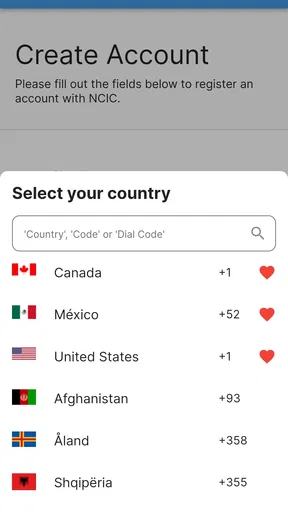
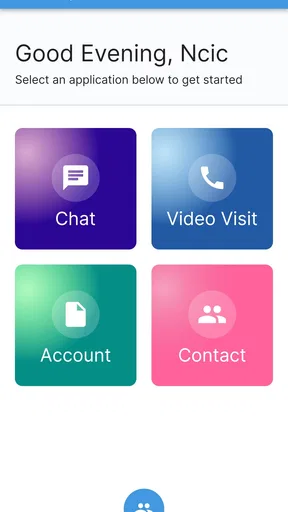
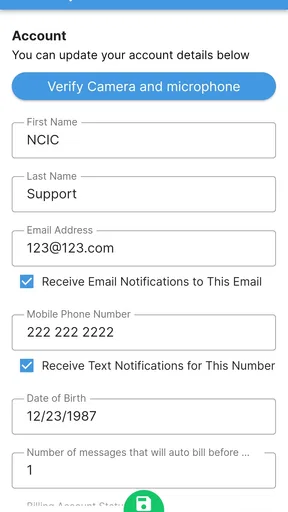
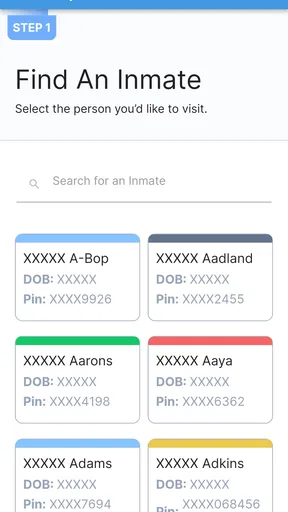
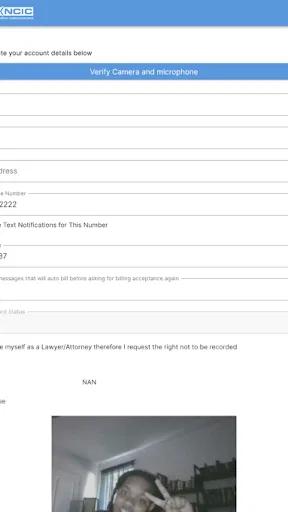

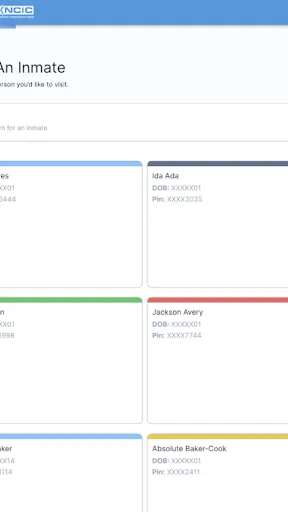
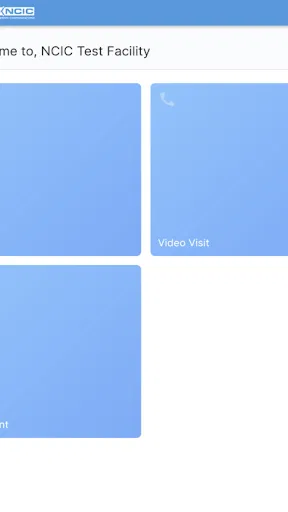
Our Review of NCIC Mobile Video Visitation
 Analysis by Appyee
Staying connected with someone in custody is rarely as simple as opening a regular video-chat app. There may be an approved communication system, a scheduled visit, a specific device, and a family member trying to make everything work from home. NCIC Mobile Video Visitation is built for that particular situation, rather than for casual calls between friends. I found it most useful when I treated it as one part of a planned visit: prepare beforehand, join at the right moment, and keep expectations realistic if the process becomes more complicated than an ordinary video call.
The app belongs to the Communication category and is developed by Keeping Intouch. It is free to install, carries a Teen content rating, and supports devices running Android 8.0 or later. Its current version is 1.454.15, and it was released on March 7, 2022. Those details matter because an older phone may not be suitable, and families often rely on whatever device is already available rather than buying a new one just for visitation.
How a planned visit works from the family side
When I help a family plan a visit, I focus first on making the appointment easy to join, rather than trying to solve everything once the call is underway. I’d agree in advance who is using the phone, where it will be set up, and who can help if a login or connection issue appears. That simple division of roles makes the next question—how to handle the actual visit—much less stressful.
Begin with the situation, not the app
The first mistake I would avoid is opening the application without knowing what kind of visit has been arranged. NCIC Mobile Video Visitation is not a general-purpose replacement for WhatsApp, FaceTime, or Google Meet. Its value depends on the correctional facility and the communication arrangement connected to the incarcerated person. Before touching the phone, I would make sure I knew the expected time, the facility involved, and which account or contact details were used during setup.
That preparation changes the experience. With a normal video call, I can usually send a message if the other person is unavailable. Here, a missed connection can be more frustrating because the opportunity may depend on a schedule that is outside the family member’s control. I would therefore treat the visit like an appointment, not like a call that can happen whenever both people are free.
The app is aimed at people who need a direct way to participate in video visitation from a mobile device. That makes it especially relevant to relatives who live far away, cannot travel easily, or need a more practical option than visiting in person. It is less attractive for someone who simply wants a flexible video-chat tool, because the app’s purpose is tied to an institutional visitation process.
Install, prepare, and reduce avoidable problems
Installation is only the first handoff. The phone also needs to be ready for a live conversation: enough battery, a stable internet connection, a quiet place, and a camera position that does not require constant adjustment. I recommend testing the phone’s camera and microphone with another application beforehand. That does not test the entire NCIC process, but it can reveal a muted microphone, a damaged camera, or a phone that struggles with video before the scheduled visit begins.
A useful practical step is to keep the device on a steady surface rather than holding it throughout the conversation. This is easy to overlook when a person is focused on finally seeing a loved one. A stand, a shelf, or a carefully positioned phone can make the visit feel calmer and leaves both hands free for notes or conversation. It also avoids the shaky image that can make a serious conversation harder to follow.
I would also close unrelated applications and silence ordinary notifications. A message banner appearing during a sensitive conversation is distracting, and switching between apps increases the chance of losing the call or missing an important prompt. These are small preparations, but they matter more here than they would for an informal call because the visit may be difficult to repeat at short notice.
Move from the account to the actual visit
Once the account and visitation details are in place, the next stage is joining the session. The important distinction is between being technically logged in and being ready for the visit itself. A family member may have completed the initial setup yet still need to open the correct area at the right time. I would sign in early enough to identify any account issue without using the scheduled appointment as a live troubleshooting session.
This is one of the app’s less obvious trade-offs. A dedicated visitation application can keep the purpose clear, but it also means the user cannot always improvise. There is no benefit in opening it at random and expecting to find an available contact in the same way one might browse a messaging app. The workflow is appointment-led, and the family member has to respect that structure.
When the visit begins, I would check three things immediately: whether the image is visible, whether the other person can hear me, and whether I can hear them. If one of those fails, I would avoid repeatedly tapping every control. A more sensible sequence is to check the phone’s volume, confirm that the microphone is not muted, look at the connection, and restart only when necessary. Randomly changing settings can create a second problem while trying to solve the first.
Keep the conversation usable
Video quality is not the only measure of a successful visit. A quiet room and a stable camera often improve the conversation more than constantly chasing a perfect picture. I found that a simple setup works best: face a light source, keep the phone at eye level, and remove background noise where possible. This is particularly helpful when the connection is not ideal, because a clear face and clear speech make a modest video stream easier to use.
Families should also plan for the emotional side of the call. A short visit can feel rushed if the first several minutes are spent searching for documents, moving around the room, or explaining technical problems. Having a few topics ready can help: family news, school updates, work, birthdays, or questions that need a thoughtful answer. The app cannot solve the limits of the visit, but preparation can make the available time more meaningful.
The handoffs that determine whether it works
The most important handoff is not between two buttons in the application. It is between the family member, the mobile device, the visitation system, and the incarcerated person’s facility. If any part of that chain is out of sync, the app may appear to be the problem even when the real issue is scheduling or authorization. This is why I would keep the facility’s instructions available and avoid assuming that every location handles visits in exactly the same way.
Another handoff happens when a relative manages the technology for someone else. A parent, grandparent, or less confident phone user may depend on another family member to install the app, sign in, position the phone, or explain what to press. In that situation, the best helper is not the person who knows the most technical terms; it is the person who can create a repeatable routine. Write down the basic sequence in plain language, keep the phone charged, and use the same location for each visit.
There is also a communication handoff inside the family. If one person books or organizes the visit while another person actually joins it, both need the same details. Confusion about the time, account, or device can waste the opportunity before the application is even opened. I would confirm those details in advance rather than relying on a last-minute text message.
What success looks like
The successful outcome is straightforward: the family member reaches the scheduled video conversation and can see and hear the incarcerated loved one well enough to talk. In my view, the app earns its place when it removes the need to travel for every contact and gives relatives a practical mobile route into a planned visit.
That outcome is especially valuable in an everyday scenario such as a relative caring for children at home. Traveling to a facility may require arranging childcare, taking time away from work, and coordinating transportation. A mobile visit can reduce those burdens, even though it still demands preparation and a suitable private space. For families separated by distance, that difference can make regular contact more achievable.
The app also works best when several relatives agree on a simple routine. One person can handle setup, another can help an older family member join, and the visitor can keep the phone positioned consistently. This division of responsibility is a concrete strength: the application does not have to be mastered by every participant if the family creates a reliable handoff.
Its public reception suggests a mixed but meaningful experience. The app has an average rating of 3.9 from around 1.6 thousand ratings, with over 100 thousand installs. I read that combination as evidence of practical demand rather than universal satisfaction. People clearly use it for an important purpose, but the rating also fits an app whose success can depend on circumstances beyond the phone itself.
Where the workflow breaks
The biggest weakness is that a dedicated visitation app cannot make the surrounding process flexible. If the appointment is missed, the facility’s schedule changes, or the connection between the family account and the visit is not correct, the user may have limited ways to recover immediately. A conventional chat app is more forgiving because the other person can call back, send a message, or try again moments later.
Technical confidence is another dividing line. Someone comfortable with phones will probably understand the basic flow quickly, while an older relative may find the login and joining steps stressful. The app is free, but “free” does not remove the cost of a compatible phone, reliable internet access, or the time needed to prepare. Families should account for those practical requirements before promising that a visit will be effortless.
I would also skip it if the goal is spontaneous communication with ordinary contacts. The application is too specialized for that. A mainstream messenger is a better choice for daily text conversations, informal calls, group chats, and quick updates. NCIC Mobile Video Visitation makes sense when the recipient is connected to the relevant visitation process and the family needs that specific route.
Privacy and setting deserve attention as well. A family member should choose a room where sensitive conversation cannot be overheard and avoid leaving the phone unattended while signed in. I would not hand the device to children during the visit or leave unrelated personal information visible on screen. These are sensible habits for any communication tool, but they are particularly important when the conversation concerns family, custody, or personal circumstances.
Who should use it and who should look elsewhere
I would recommend the app to relatives who need mobile video visitation, prefer not to depend on a computer, and are willing to follow a scheduled workflow. It is a good fit for a family that can prepare the device, maintain a stable connection, and accept that the facility’s process remains part of the experience.
I would be more cautious for people with an older phone, unreliable internet, or no one available to help with setup. The minimum operating system is Android 8.0, so compatibility should be checked before planning around the application. Someone who needs instant, unscheduled contact should also choose a conventional communication service when that service is available and appropriate.
The Teen rating is worth noticing for households where children may be present. It does not make the app unsuitable for families, but adults should decide how children participate and what kind of conversation is appropriate. The person responsible for the device should also understand that the app is a communication tool for a specific situation, not an entertainment application for unsupervised use.
My overall assessment after following the complete flow
NCIC Mobile Video Visitation is best judged by the problem it is trying to solve. It is not as flexible as a regular messenger, and it cannot remove every administrative or technical obstacle between a family and an incarcerated loved one. What it does offer is a focused mobile path to a planned video visit, which can be genuinely important when travel is difficult or regular in-person contact is not practical.
My advice is to approach it as a small system rather than a single app: confirm the visit, prepare the phone, join early, check audio and video, and keep a backup plan for communication with the family if the session cannot begin. The strongest non-obvious benefit is the repeatable routine it can support; the most important limitation is that the routine depends on several outside handoffs.
Keeping Intouch has created a tool for a narrow but meaningful need. If that need matches your situation, the free installation and mobile format make it worth trying on a supported device. Just do not measure it against FaceTime or a standard chat app on convenience alone. Its real success is whether it helps you complete a scheduled conversation with less travel and less uncertainty, and that depends as much on preparation as on the application itself.
Verdict
Strengths of NCIC Mobile Video Visitation
- Lets families visit inmates remotely without traveling to a facility.
- Video sessions can be scheduled from a smartphone or tablet.
- Useful for keeping contact when distance, work, or mobility is an issue.
- Supports a more private alternative to crowded visitation areas.
- Available for both Android and iOS users in supported facilities.
Limitations of NCIC Mobile Video Visitation
- Availability depends on whether the correctional facility supports NCIC services.
- Visits may require advance approval, scheduling, or identity verification.
- Connection quality can vary with weak Wi-Fi or mobile data.
- Some features or visits may involve additional fees.
- Facility rules can limit visit length, participants, and device usage.
Similar Picks in This Category
View All
Google Messages
Google LLC4.6

Gmail
Google LLC4.1

Google Meet
Google LLC4.4

Google Chrome
Google LLC4.1

WhatsApp Messenger
WhatsApp LLC4.6

Carrier Services
Google LLC4.2
Frequently Asked Questions
What is NCIC Mobile Video Visitation used for?
NCIC Mobile Video Visitation is designed to let approved users communicate with incarcerated individuals through scheduled video visits on a compatible Android or iOS device. Depending on the correctional facility, the app may also provide access to messaging, account management, visit scheduling, and notifications. Available features can vary significantly because each facility sets its own visitation rules and services.
How do I schedule a video visit with an inmate?
To schedule a visit, you generally need to create or sign in to an NCIC account, select the correctional facility and incarcerated person, and choose from the available dates and times. Some facilities require visitor approval before scheduling is enabled. Visit availability, time limits, cancellation policies, and booking procedures differ by location, so check the facility’s instructions carefully before making a reservation.
What equipment and internet connection are required?
You typically need a supported Android or iPhone, the NCIC Mobile Video Visitation app, a working front-facing camera, a microphone, speakers or headphones, and a reliable internet connection. Wi-Fi is usually recommended because video calls can use substantial mobile data. Before the appointment, allow camera and microphone permissions, close other demanding apps, and test your device to reduce connection or audio problems.
Does NCIC Mobile Video Visitation cost money?
The app may be free to download, but video visitation itself is not necessarily free. Charges, deposits, service fees, payment methods, and refund rules are determined by the correctional facility and NCIC’s applicable service arrangements. Review the total price before confirming a visit, and remember that rates may vary by facility, visit type, duration, and account requirements.
What rules should I follow during a video visitation session?
Video visits are monitored and must follow the correctional facility’s visitation policies. Visitors may be required to show identification, remain appropriately dressed, stay in an approved location, and avoid recording, screenshots, prohibited participants, or unauthorized items. Arrive or connect early, keep your face visible, and follow staff instructions. Violations can end the session and may affect future visitation privileges.
